 GrazerOne
Grazing
Which pasture is ready today?
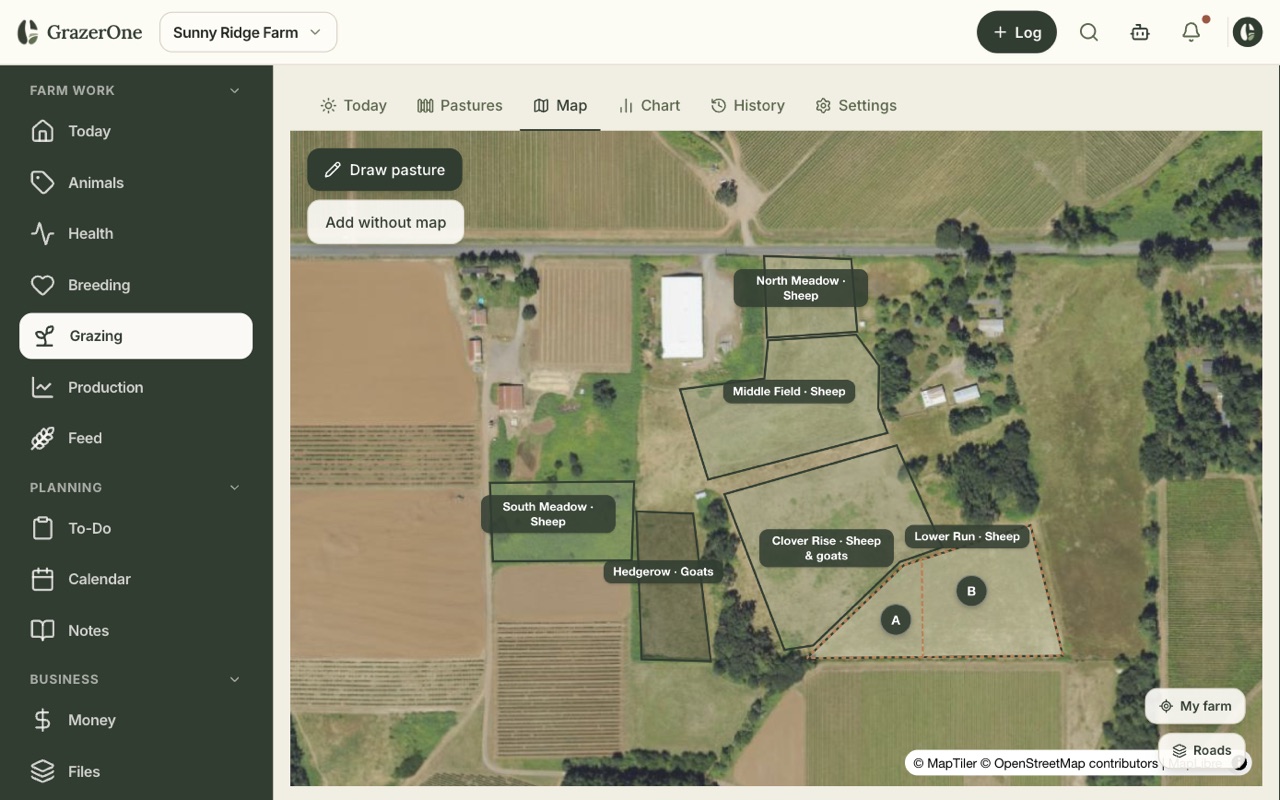
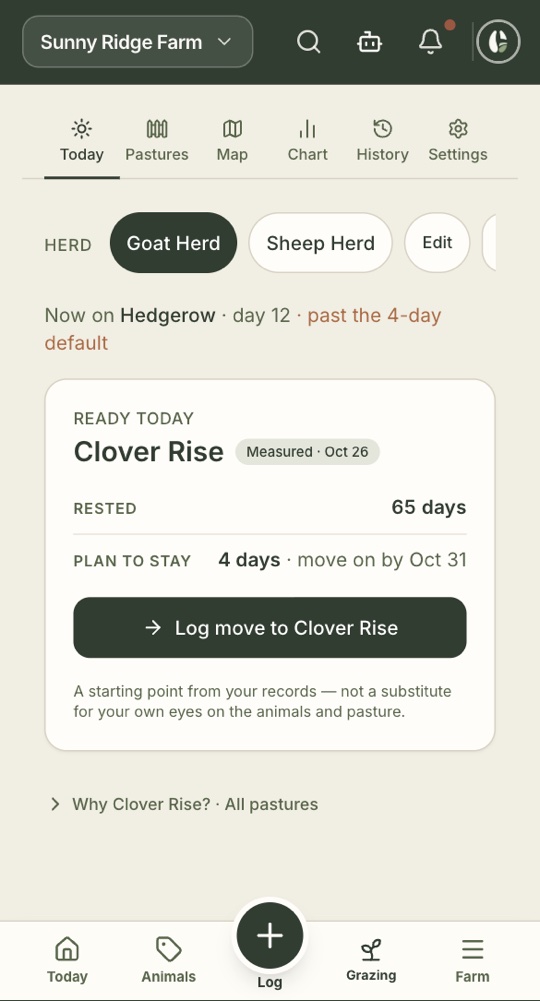
Name your pastures or draw them on a map. Log each move with a tap. GrazerOne keeps the rest days and tells you which pasture is ready, about how long it'll feed the herd, and when it's time to move.
Start freeFree during the beta. No card.
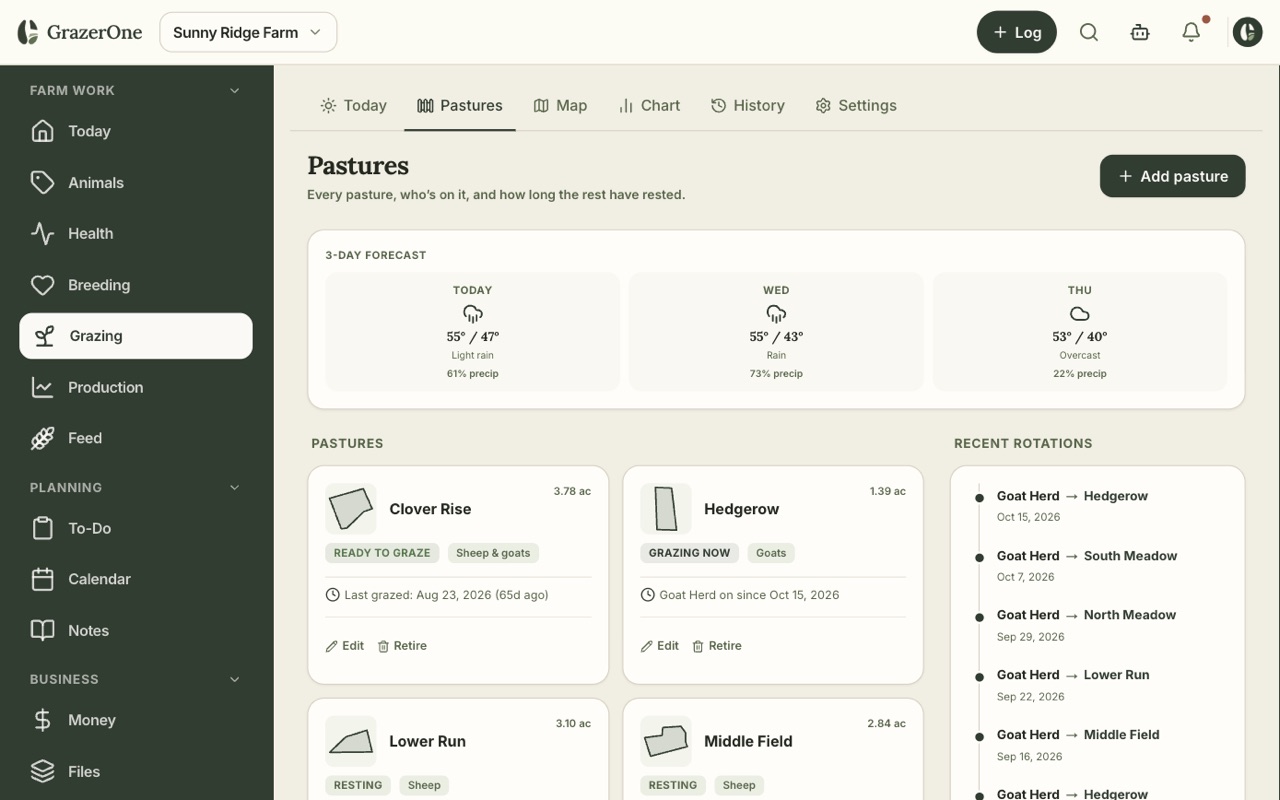
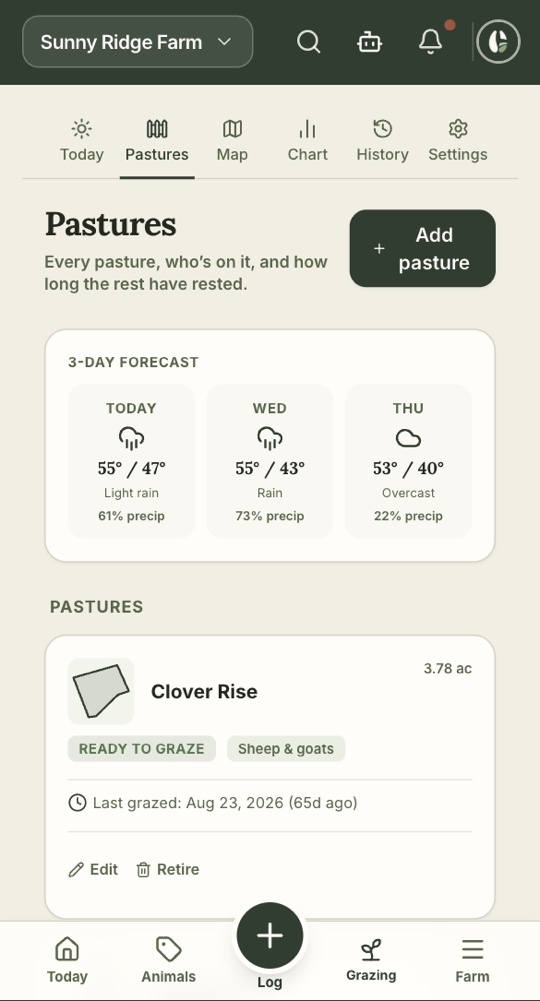
Every pasture on the computer at the kitchen table, and the same list on your phone out at the gate.
What it looks like on your phone
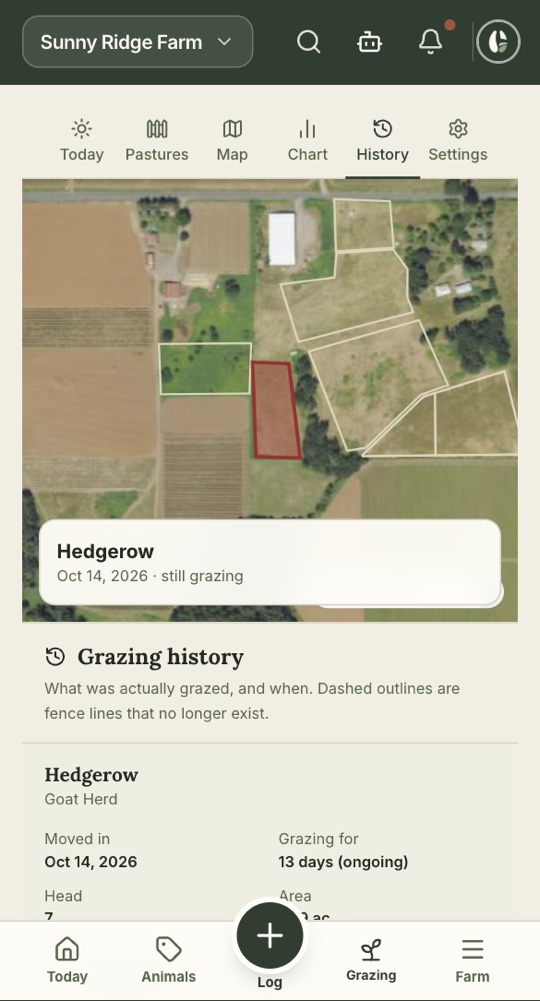
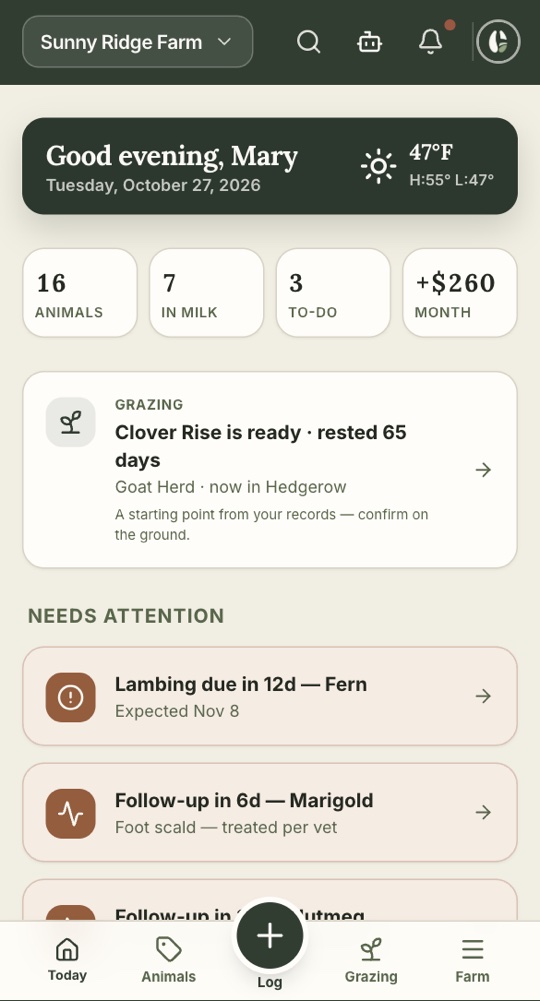
Built for a few acres, not a ranch
- Rest days, counted for you. Every move resets the clock on the pasture you left.
- Parasite-aware. A heads-up when a herd has been on one pasture longer than you want, so worms don't build up.
- Mixed species. Mark which pastures suit sheep, goats or both.
- Weather in view. A three-day forecast on the Pastures tab.
- No map required. Draw your pastures if you want the outlines. Skip it if you don't.
Suggestions are a starting point from your records. You know your grass. The app never overrules you.
Questions about grazing
Do I need to draw a map?
No. You can name your pastures and type in the acreage. The map is there if you want it.
How does it decide a pasture is ready?
From the rest days since it was last grazed and the rest you've set for this time of year. You can change the targets in grazing settings.
Does it handle sheep and goats in separate herds?
Yes. Each herd gets its own call, and you can say which pastures each species can use.